Ajiu — AI Calendar & Scheduling
Calendar for people who don't like planning.
Tell Ajiu what's going on. It helps organize your plans, handle changes, and keep your schedule clear—so you always know what's next.
From long scheduling messages to last-minute changes, Ajiu helps turn everyday plans into a schedule you can actually follow.
The real problem
Planning takes work. Plans change anyway.
You organize your week.
Then someone reschedules.
A new task comes in.
Another plan moves.
And suddenly you're managing your calendar again.
Ajiu is for people who want to stay organized without constantly managing their calendar.
Messages in, schedule out
Turn messages into your schedule.
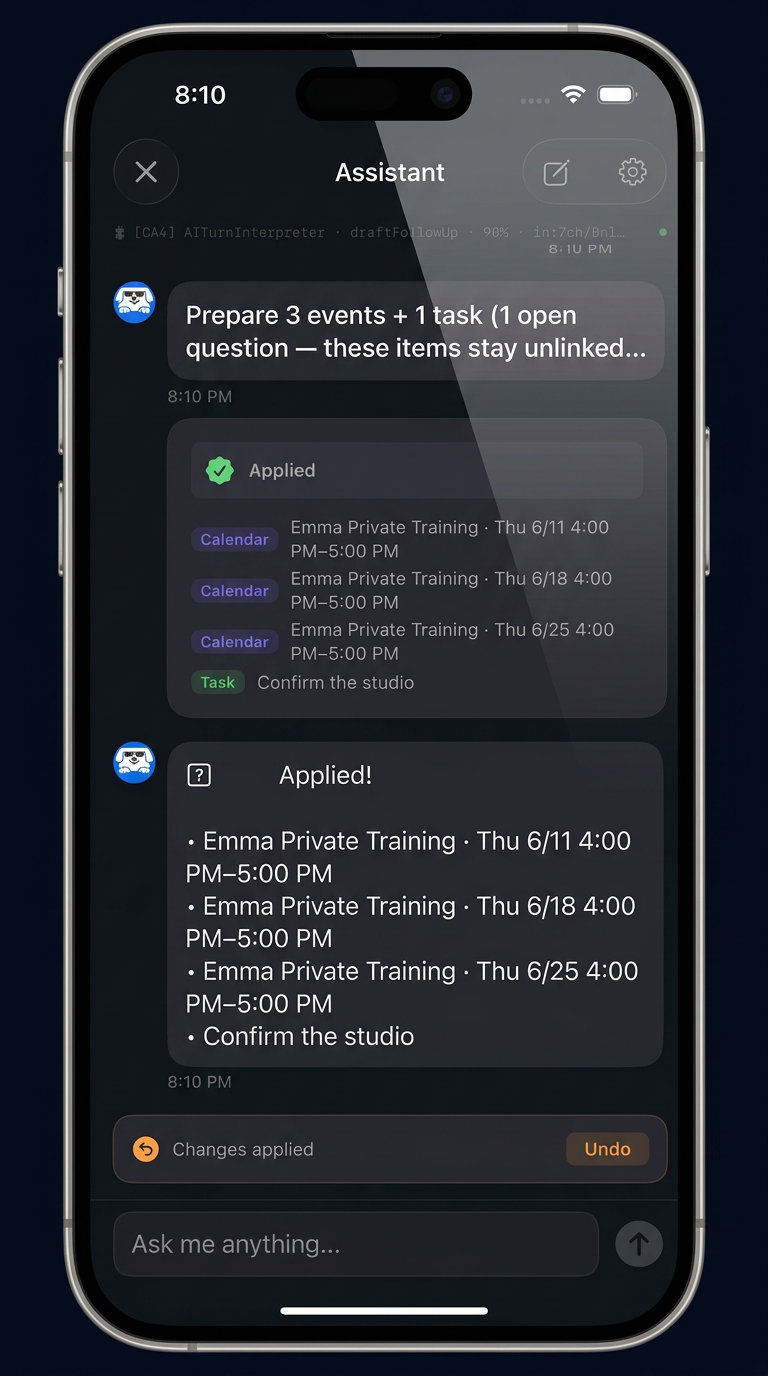
Paste a scheduling message or tell Ajiu what changed. It works through the whole thing — not just "meeting tomorrow at 3."
BEFORE
"Hey — can we push Thursday's session to Friday same time? Also my son can't make the Tuesday one next week, so maybe move it to the week after. And could you send the updated times when you get a chance?"
AFTER
- Move Thursday session → Friday, same time
- Cancel next Tuesday's session
- Proposed replacement the following week — needs a time
- Follow-up task: send the updated times
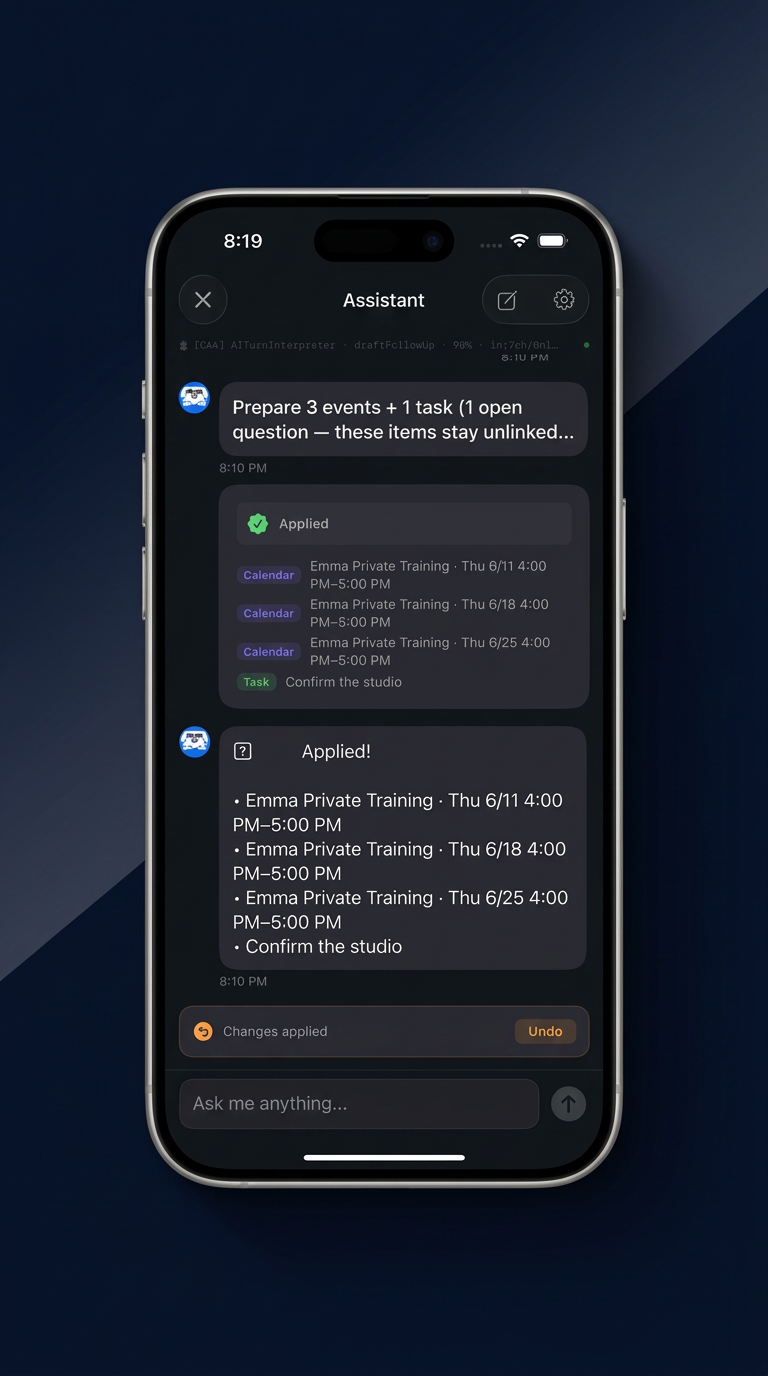
Review what Ajiu understood before adding it to your Ajiu schedule.
- Events, dates, and times
- Tasks and follow-ups
- What changed
- What stays the same
- What information is missing
- What still needs your attention
When things move
Plans changed? Tell Ajiu.
You shouldn't have to rebuild your calendar every time life changes. Tell Ajiu what's moving, canceled, delayed, or being rescheduled, and it helps organize the updated plan.
- Something moved to another day
- A session was canceled
- A plan got delayed
- An earlier plan needs correcting
Your schedule should adapt when your life does.
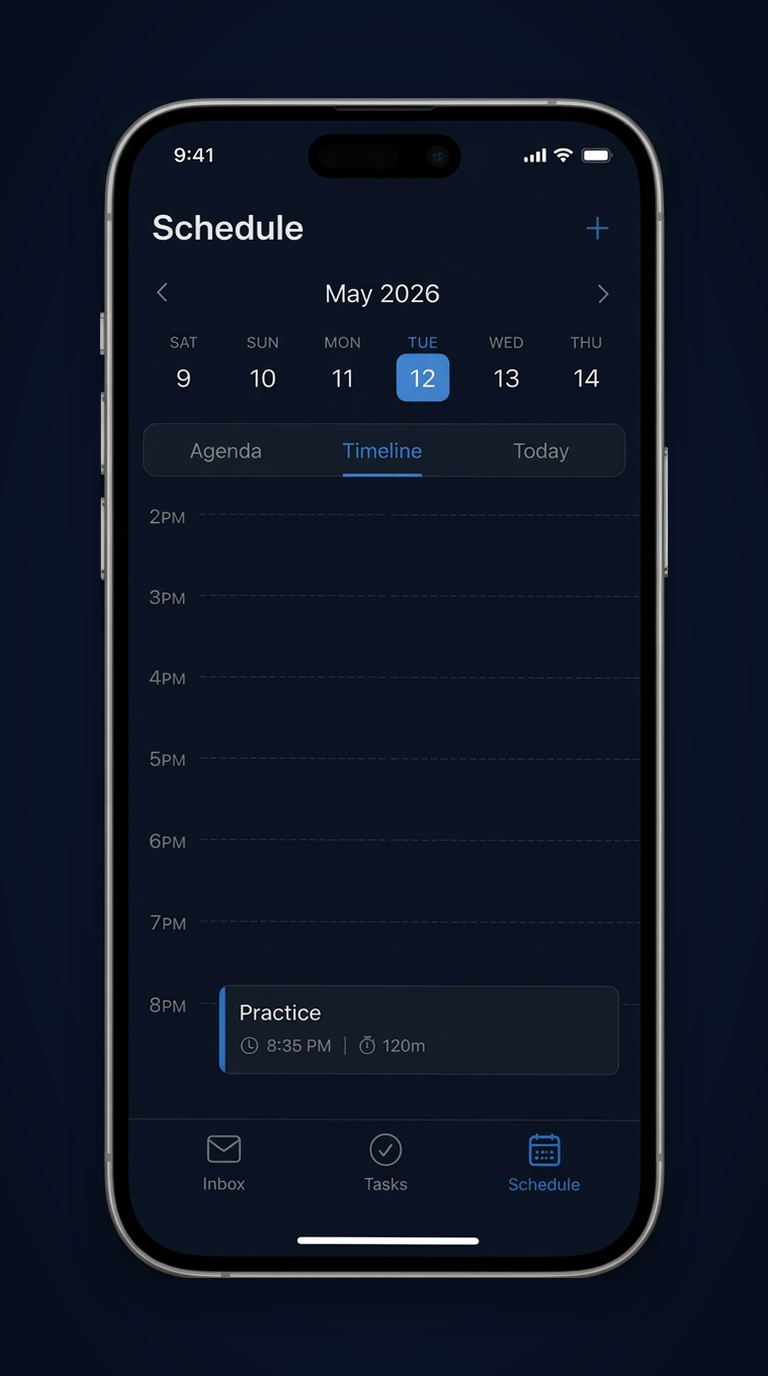
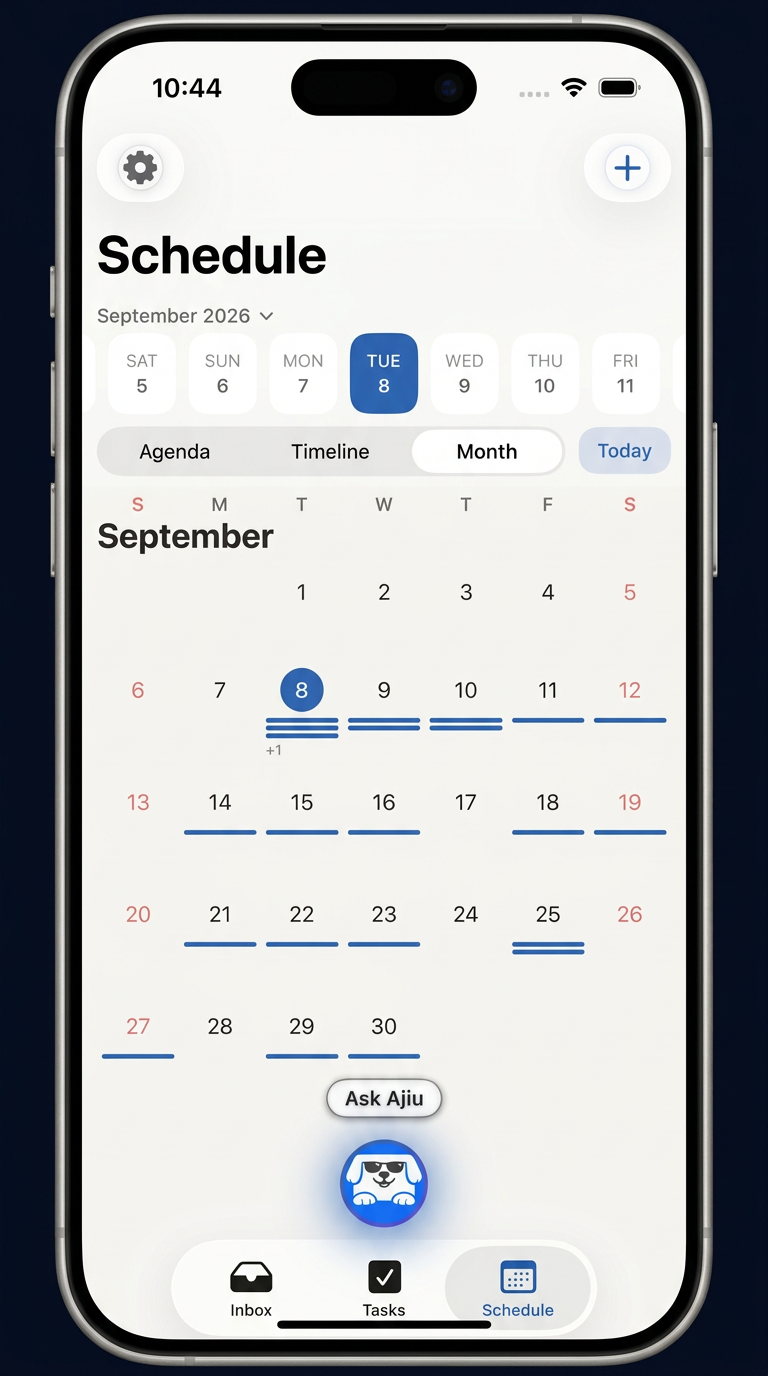
Your day, clear
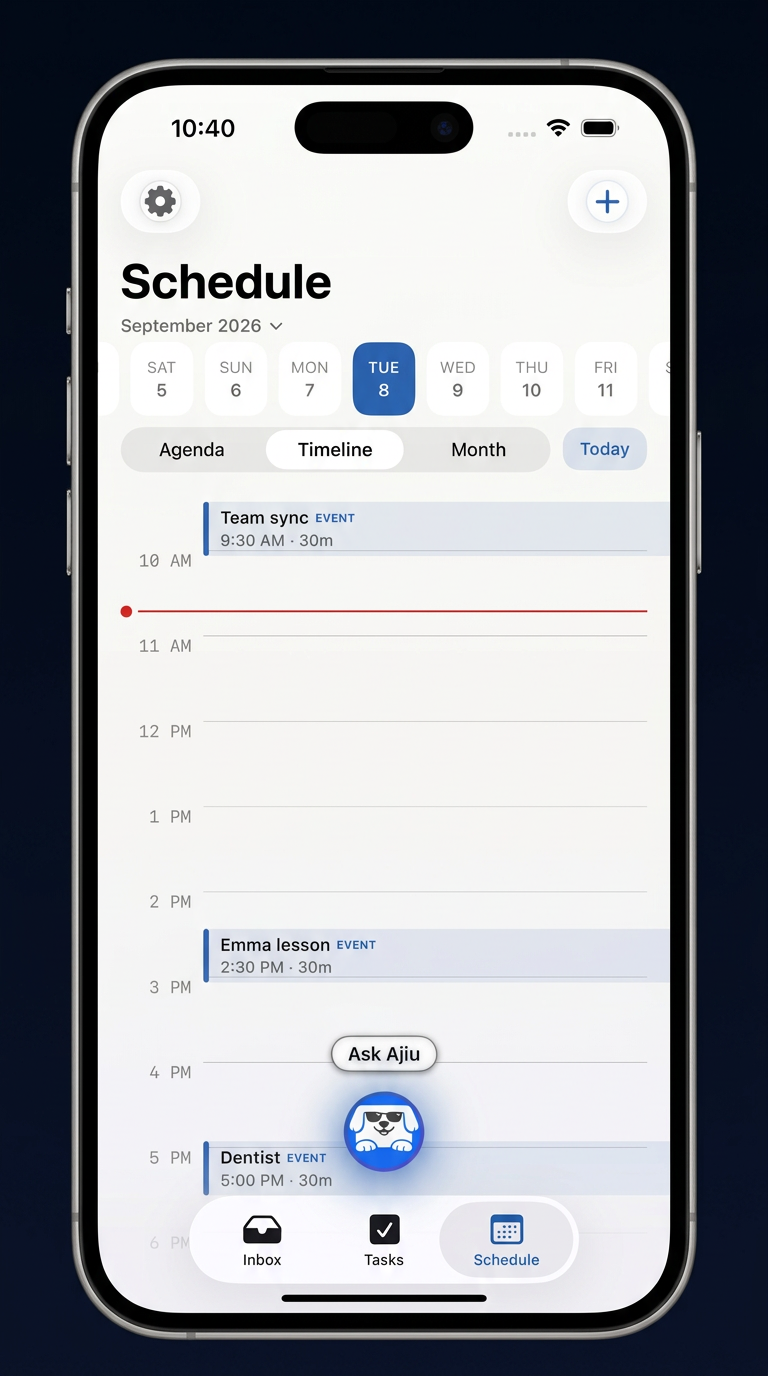
Open Ajiu. Know what's next.
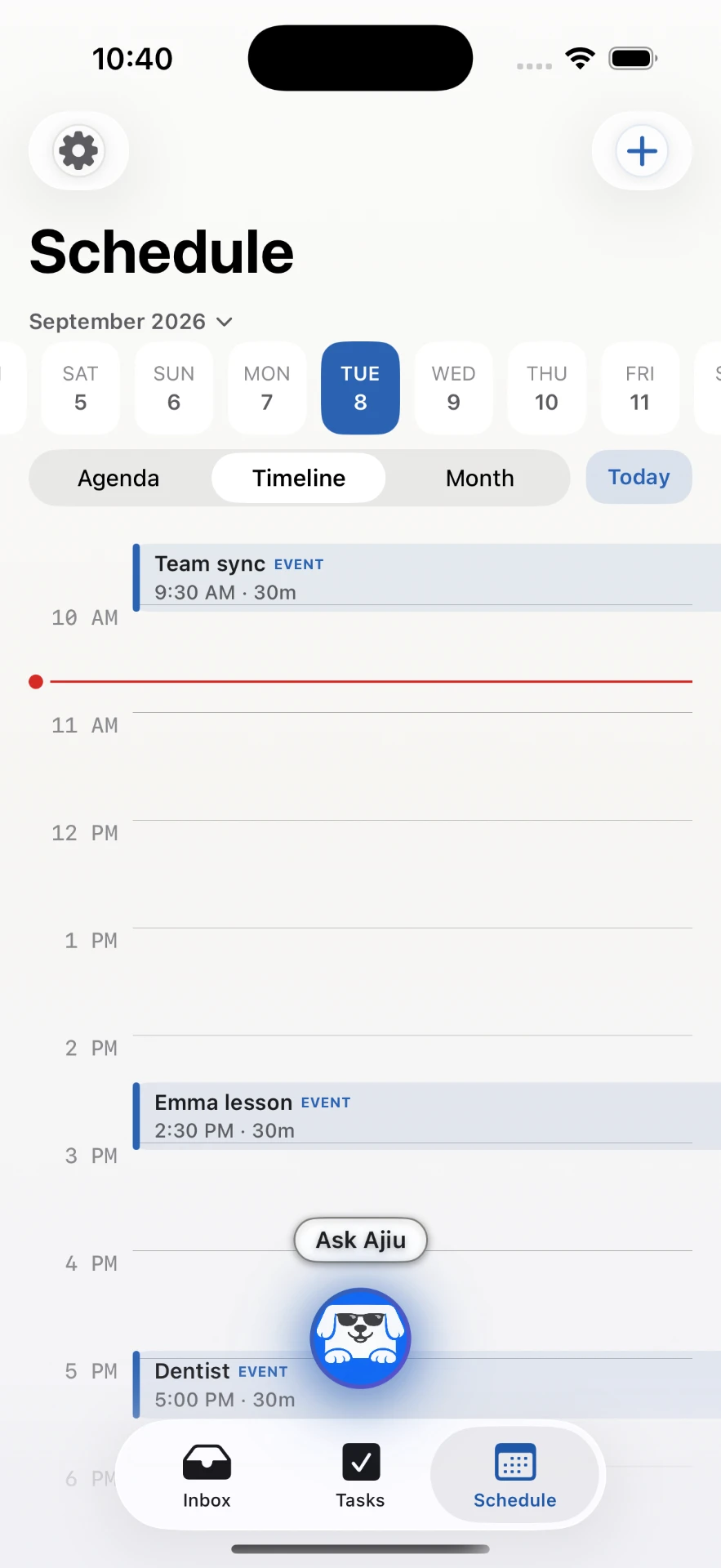
Ajiu is made to be easy to understand at a glance — without checking, searching, and rebuilding your calendar every time something shifts.
Today at a glance
What's happening now and what's coming later.
Upcoming plans
The rest of your week, without digging through threads.
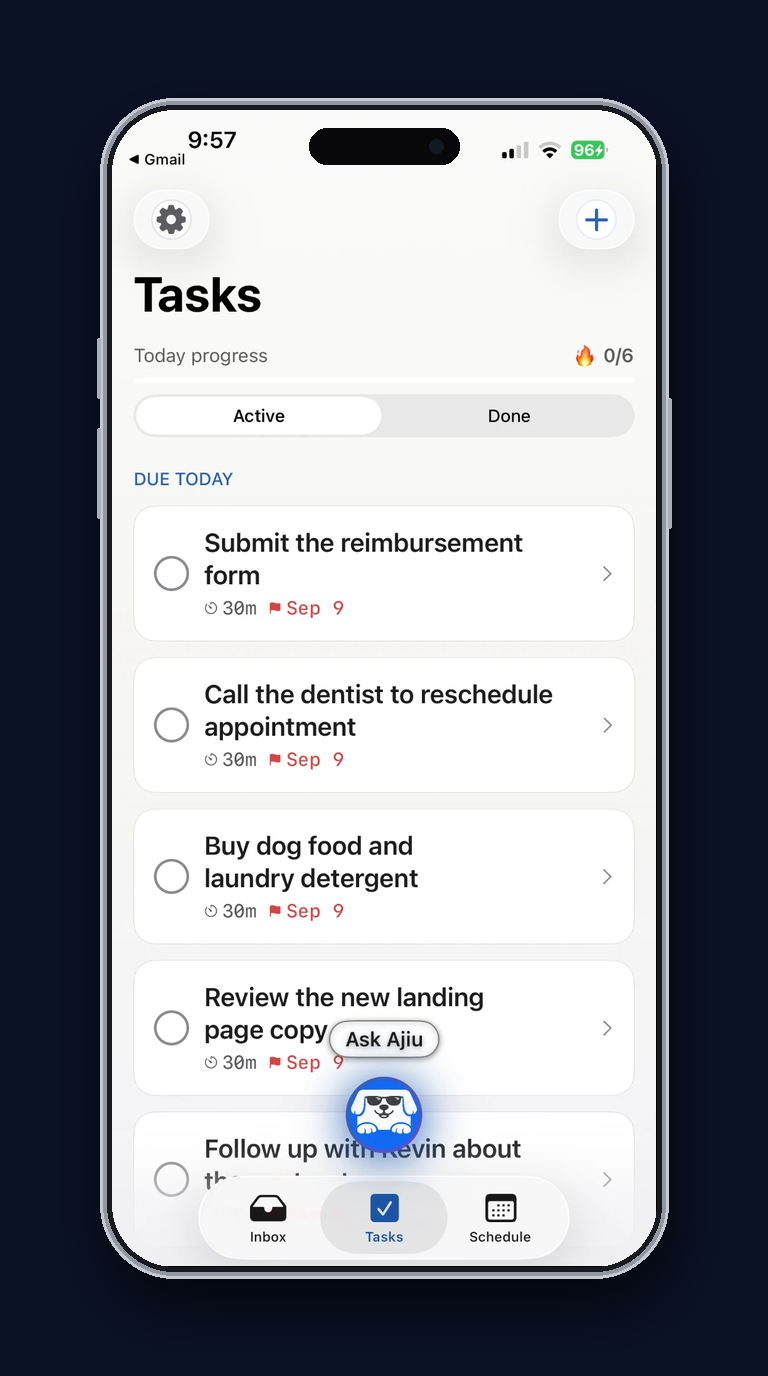
Tasks in context
Follow-ups sit next to the plans they belong to.
Live first
Your week comes together as life happens.
No Sunday-night session required. Send things to Ajiu as they come up, and it brings the pieces together while your week is still moving.
- Add plans when they come up
- Forward the scheduling details
- Tell Ajiu when something changes
- Capture a task when you remember it
HOW AJIU WORKS
Life happens.
Your schedule keeps up.
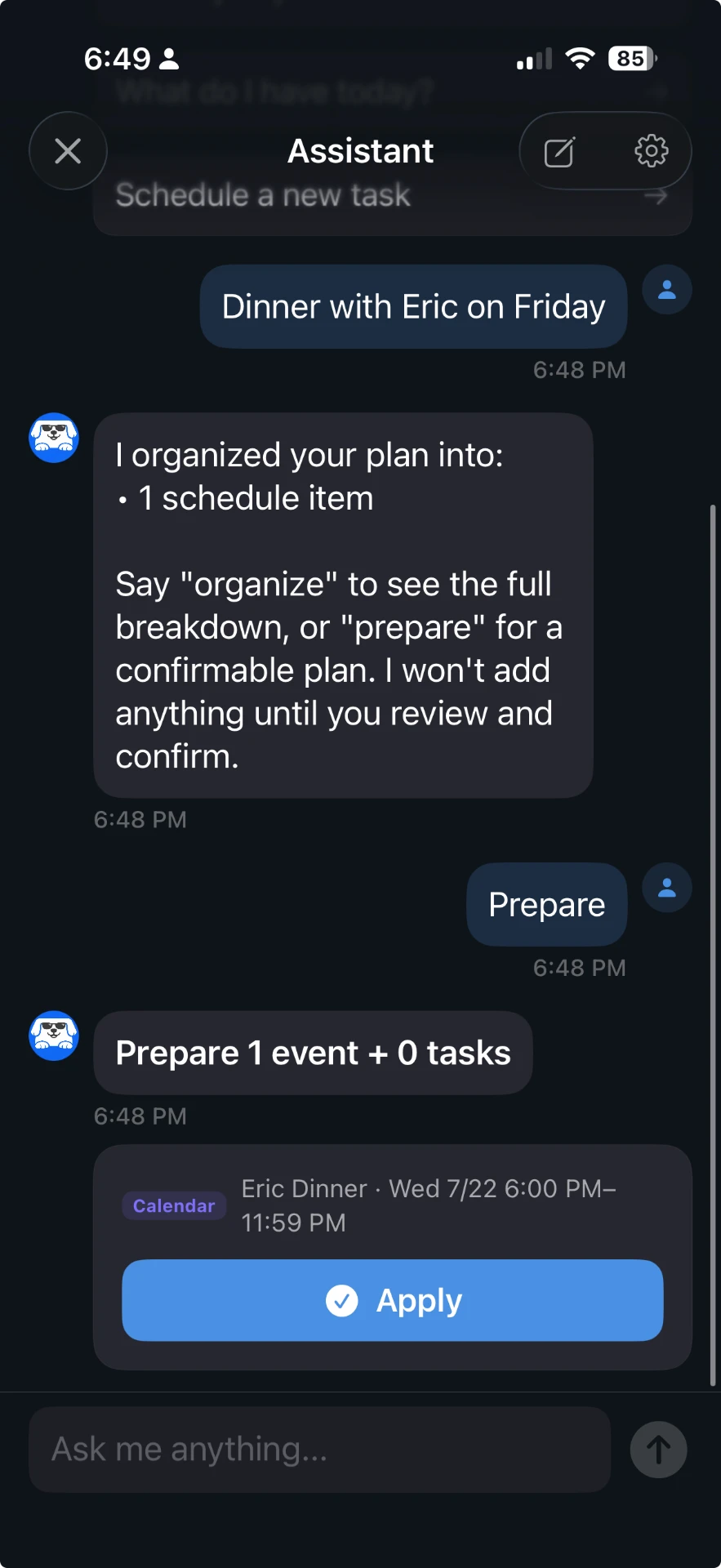
01
Tell Ajiu what's going on
Paste a message, add a plan, or just say what changed.
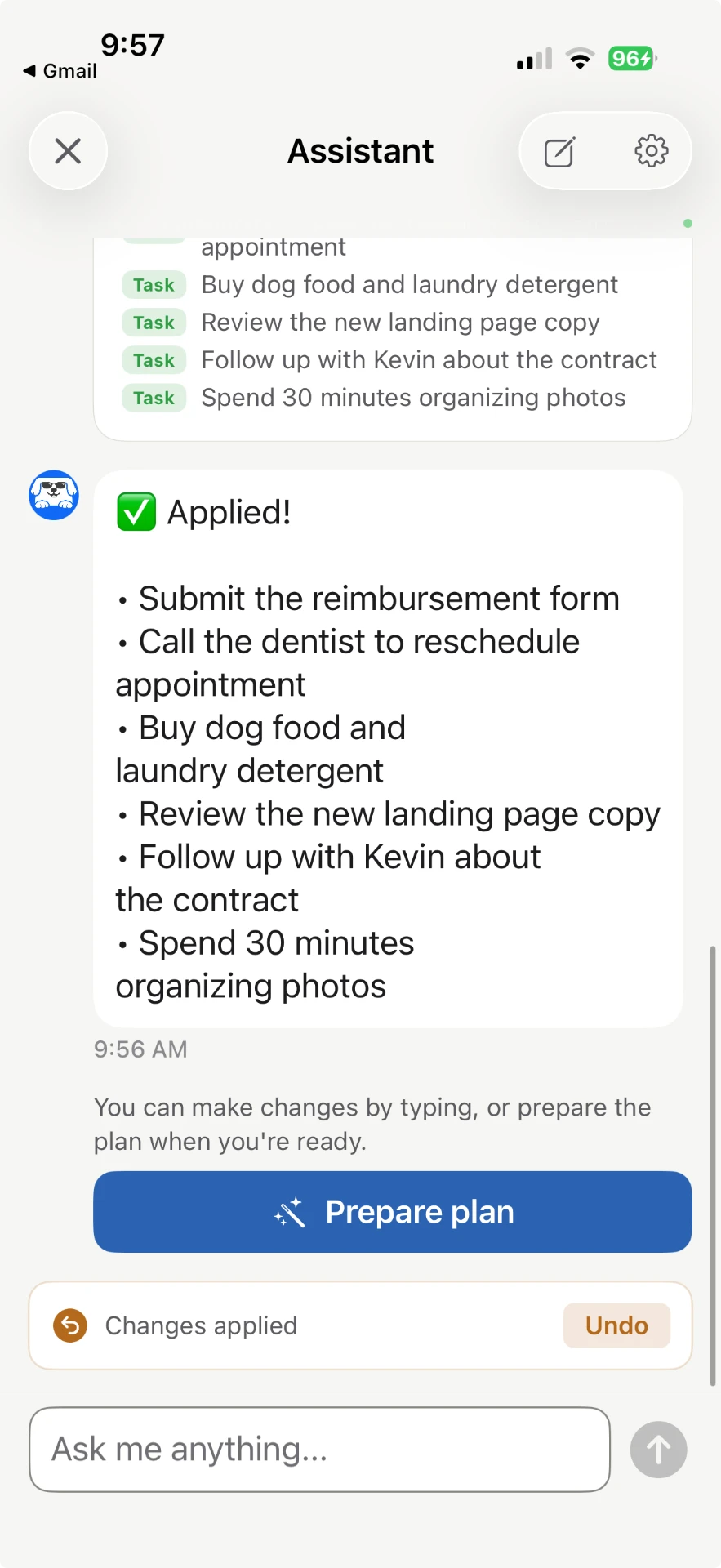
02
Ajiu works out the plan
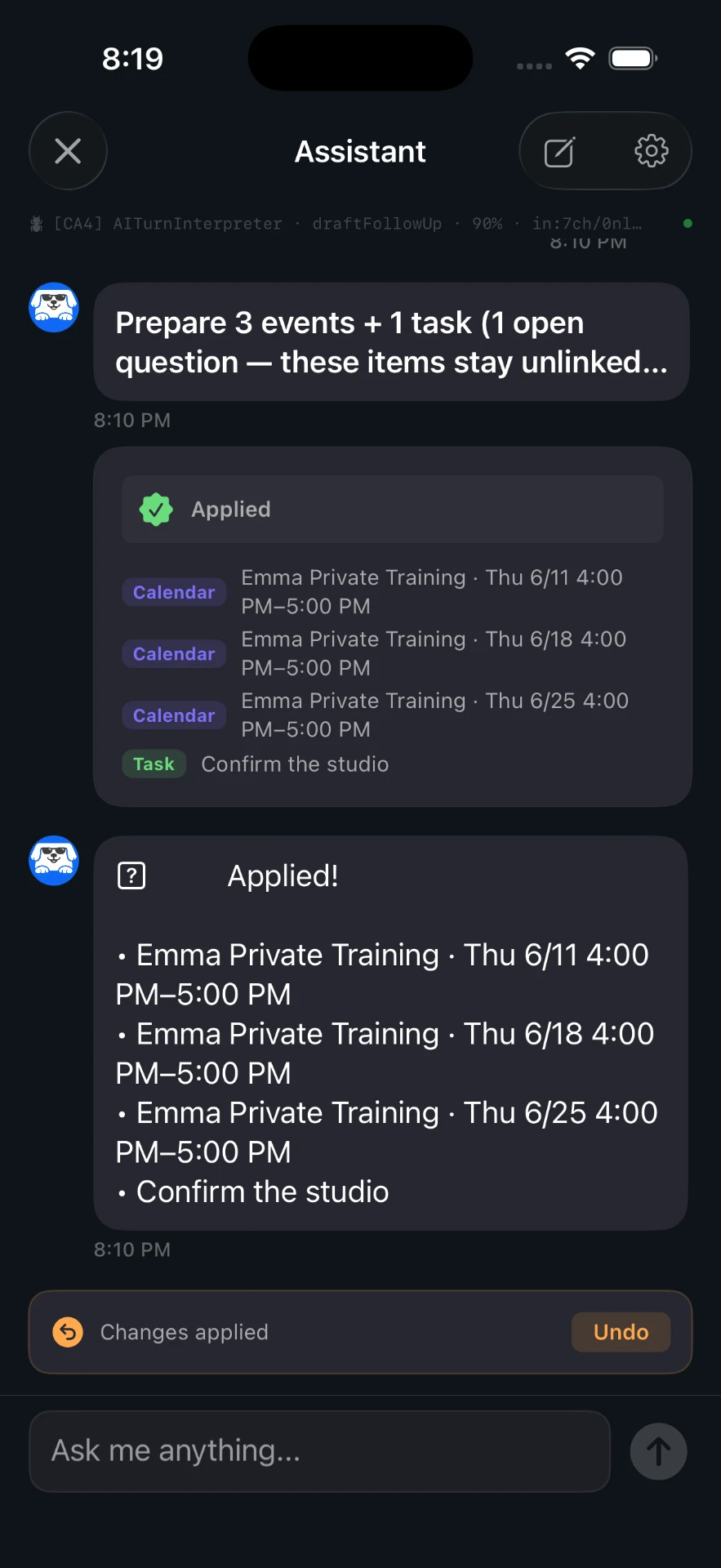
It sorts out events, changes, tasks, and anything still unresolved.
03
Review
Check what Ajiu understood, make any changes, then apply.
04
Know what's next
Open Ajiu and immediately see what's coming up.
WHAT AJIU HANDLES
Less time managing your calendar.
More time living your day.
Understands real messages
Paste the message as it was written. Ajiu picks out dates, times, people, cancellations, reschedules, and what's being asked.
Spots missing details and scheduling issues
Finds missing details, unclear times, and unanswered questions before anything gets added.
Organizes it for you
Instead of sorting through threads yourself, you get a clear plan you can read in a few seconds.
Handles changes in context
Ajiu understands when a plan is being moved, canceled, corrected, or updated instead of treating every message like a brand-new event.
You stay in control
Ajiu shows what it understood first. Review it, change anything, and decide what gets added to your Ajiu schedule.
Flags what still needs attention
If something in a message is missing or unresolved, Ajiu calls it out so nothing slips through.
Who it works well for
Built for schedules that don't stay still.
- Coaches
- Tutors
- Instructors
- Freelancers
- Busy professionals
- Parents
- Students
- Anyone juggling appointments
Ajiu is especially useful when plans arrive through conversations and keep changing through the week.
WHY I BUILT AJIU
Charlie Tsui
Founder, Ajiu
I built Ajiu because I have a busy schedule, but I don't like planning. I don't want to sit down and organize my entire week. I don't want to keep checking my calendar to remember what's next. And when someone reschedules, I definitely don't want to move everything around by hand. I wanted something I could simply tell what was going on — and have it help me work out the rest.
Read the full story →FAQ
Questions, answered.
Who is Ajiu for?
+
Anyone whose schedule changes often and who doesn't enjoy planning — coaches, tutors, instructors, freelancers, busy professionals, parents, and students. It's especially useful when plans arrive through messages.
Is Ajiu a booking app?
+
No. Ajiu is not just a booking link. It helps you understand and organize scheduling situations that arrive through messages, including reschedules, cancellations, recurring changes, and conflicts.
What does it cost?
+
Ajiu is free to start with limited AI usage. Pro is $9.99/month or $84.99/year. Any free trial and the exact price are shown on the App Store before you buy, and purchases are handled by Apple, so you can cancel anytime in your Apple subscription settings.
What kinds of messages can Ajiu understand?
+
Scheduling conversations of all kinds — meeting coordination, lesson schedules, client bookings, travel plans, appointment changes, and everyday plans that involve organizing time.
What does Ajiu actually do?
+
Ajiu reads your scheduling message, identifies events, tasks, reminders, missing information, and potential conflicts, then organizes everything into a clear plan for you to review.
Does Ajiu change my calendar automatically?
+
Never. Ajiu shows what it understood so you can review and approve it first. Nothing is added to your Ajiu schedule until you confirm.
What if Ajiu reads the message wrong?
+
You see every event, time, and person Ajiu extracted before anything is applied, and you can edit any of it. When something is ambiguous, Ajiu flags it and asks instead of guessing.
What happens to my clients' messages?
+
Your messages aren't training data. Ajiu reads what you paste to build a plan, and nothing is stored or shared without your say-so.
What happens when information is missing?
+
Ajiu identifies what is unclear and asks a focused question before preparing the final scheduling plan.

Spend less time planning.
Know what's next.
Tell Ajiu what's going on and let it help organize the rest.
Free to start — Pro is $9.99/month or $84.99/year.